

Year-End Bookkeeping Checklist for Small Businesses: Get Ready for Tax Season
Prepare your business books for tax season with a year-end bookkeeping checklist covering income, expenses, account reconciliation, and records.
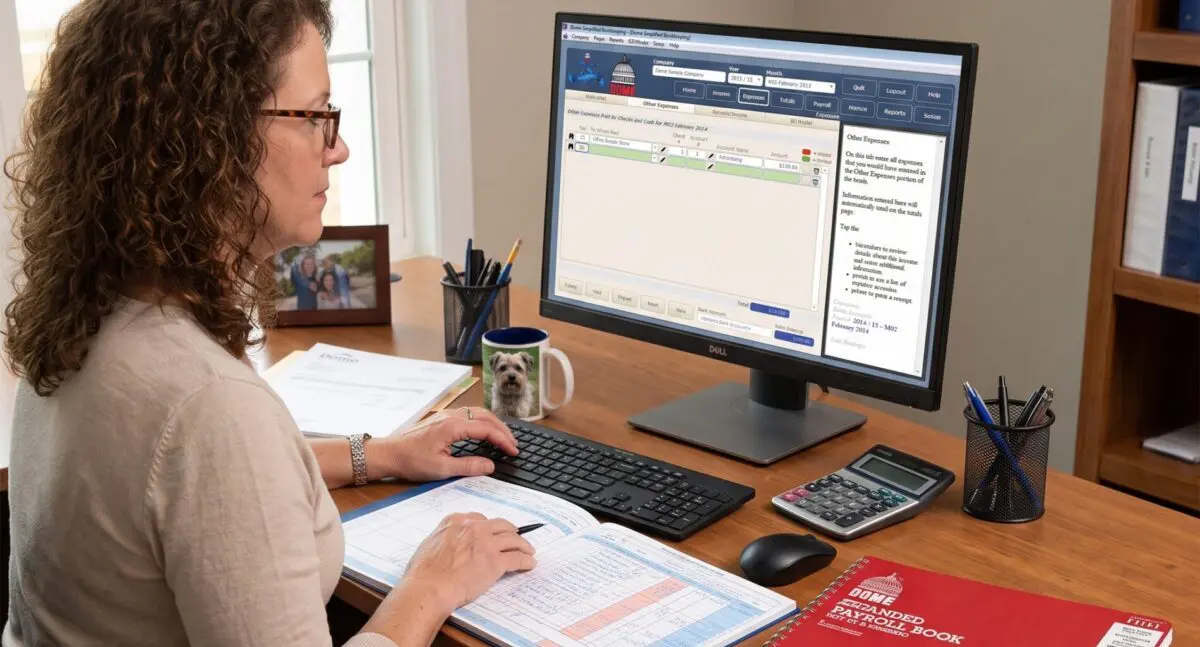
Managing small business finances always comes down to a fundamental operational decision: How will you track the money moving through your company? Will you rely on cloud-based accounting software, maintain physical record keeping books for business, or build a hybrid system that leverages both?
As financial technology has evolved, this decision has become more nuanced. Cloud platforms promise real-time bank feeds, automated categorization, and instant reporting. At the same time, thousands of small business owners, sole proprietors, trade contractors, and bookkeepers continue to rely on physical paper ledgers, cash journals, and business check registers.
The truth is that neither approach is inherently superior across every business model. Digital systems offer undeniable automation and scalability, while physical record keeping provides unmatched tactile focus, zero software subscription costs, and immediate clarity over committed funds.
This comprehensive guide breaks down the factual advantages and limitations of paper, digital, and hybrid record-keeping systems—helping you establish an accurate, audit-ready bookkeeping workflow tailored to your operational realities.
Record keeping books for business—frequently referred to as physical ledgers, entry journals, or account registers—are bound paper books structured specifically to log financial transactions manually. Rather than relying on automated data feeds, paper record-keeping requires an individual to record dates, payees, transaction details, amounts, and running balances by hand.
Different business models rely on distinct ledger formats depending on their daily operational focus:
While modern software marketing often frames paper as obsolete, physical ledgers offer distinct operational benefits that software cannot fully replicate.
Digital financial transactions are designed to be frictionless. Swiping a business credit card, clicking an online checkout, or setting up auto-debits makes parting with capital effortless. However, when transactions are invisible, overspending becomes significantly easier.
Writing down a transaction by hand creates beneficial friction. When you open a business check register book, write the payee, categorize the expense, and manually compute the remaining balance, you engage directly with your cash flow. This daily ritual forces immediate confrontation with spending choices, fostering financial discipline that app notifications rarely inspire.
A bank account dashboard only shows transactions that have been officially posted or cleared. It does not reflect outstanding checks sent in the mail, delayed vendor debits, or scheduled payouts. Relying solely on your digital bank balance can lead to accidental overdrafts and false confidence in your available working capital.
A physical check register or ledger logs transactions the moment they are initiated. By maintaining a running balance that accounts for committed funds before they clear the bank, you maintain an accurate, real-time view of your true available cash.
Cloud-based accounting software is susceptible to remote vulnerabilities:
Physical ledgers carry zero cyber risk. They do not require internet connections, user passwords, API keys, or monthly software patches. A ledger sitting on your desk cannot be remotely hacked, ransomware-encrypted, or rendered inaccessible by a local broadband outage.
Most accounting platforms have transitioned to Software-as-a-Service (SaaS) pricing models, charging monthly fees that scale upward as you add users, bank connections, or advanced modules. Over time, software subscriptions represent thousands of dollars in ongoing overhead. A physical record book is a single, low-cost purchase that can serve a small business for months or years without recurring operational fees.
Reconciling a physical register against a bank statement is a straightforward matching process. As you compare your handwritten ledger entries to the bank statement, you manually check off cleared items. Unmarked items immediately highlight outstanding checks or delayed deposits. Furthermore, this deliberate line-by-line review frequently catches unauthorized bank charges, billing errors, or subscription auto-renewals that automated software feeds often hide under auto-categorization rules.
Despite their advantages, physical record-keeping books carry significant operational liabilities that business owners must actively manage:
Digital accounting software—ranging from basic cloud applications to robust enterprise platforms—offers clear structural advantages for growing or multi-faceted companies.
While digital tools offer powerful features, they introduce distinct challenges that can corrupt a company’s financial tracking if left unmanaged:
A critical misconception among small business owners is that maintaining a handwritten ledger automatically guarantees compliance during a tax audit.
The reality: The Internal Revenue Service (IRS) does not mandate specific software or paper formats for bookkeeping. You are permitted to use bound ledgers, loose-leaf spreadsheets, or complex software. However, a ledger alone—whether handwritten or digital—is never sufficient proof of an expense during an audit.
According to IRS guidelines, an acceptable record-keeping system must satisfy three basic requirements:
Bottom line: Physical record-keeping books are fully IRS-compliant for tracking financial activity, provided you preserve all underlying receipts and primary documentation in an organized physical or digital archive.
The most resilient small business bookkeeping systems rarely choose between paper or digital exclusively. Instead, successful owners build a hybrid bookkeeping system that combines the focus and cash clarity of paper with the reporting power and security of digital storage.
A hybrid workflow creates intentional operational checks and balances without duplicating workload needlessly.
Use a physical bookkeeping record book, cash journal, or business check register at your main desk or point of operation. Record checks written, daily cash receipts, and direct vendor payments as they occur. This maintains real-time control over committed funds and fosters active financial awareness.
Set aside 15 minutes every week to review your physical register against online bank activity. Place a physical checkmark beside entries that have officially cleared through your bank. This step immediately flags outstanding checks, delayed merchant payouts, uncollected invoices, or unauthorized bank charges.
At the end of the month, transfer the verified, balanced summary totals from your physical ledger into a basic spreadsheet or lightweight accounting software. Instead of manually entering hundreds of individual receipts into software daily, you import or enter clean, consolidated category totals (e.g., total office supplies, total gross sales, total fuel expenses).
Scan your completed monthly ledger pages alongside your physical receipts and bank statements, storing them in a secure, encrypted cloud storage environment. This step ensures you maintain an off-site, fireproof digital backup while preserving your paper original for daily use.
Choosing the right record-keeping method depends on your operational structure, transaction volume, and administrative resources.
| Business Type | Recommended System | Primary Operational Focus |
|---|---|---|
| Sole Proprietors & Trade Contractors (Plumbers, Electricians, Consultants) | Paper-First or Hybrid | Low transaction volume, high need for real-time check tracking, simple cash-in/cash-out mechanics. |
| Local Retail & Service Shops (Salons, Bakeries, Auto Repair) | Hybrid | High reliance on cash/check registers daily, combined with monthly digital summaries for sales tax and payroll. |
| High-Volume E-Commerce & SaaS | Digital-First | Automated multi-channel sales integration, inventory tracking, and complex processor payouts make paper impractical. |
| Multi-Location Teams & Agencies | Full Cloud Digital | Requires simultaneous multi-user permissions, remote access, approval workflows, and centralized auditing. |
Yes, provided your business model has manageable transaction volumes and straightforward operations. However, to remain tax-compliant and prepare for year-end filing, you must retain all supporting receipts, deposit slips, and bank statements alongside your check register to substantiate your ledger entries.
No. The IRS does not require small businesses to use specific software platforms like QuickBooks or Xero. You can maintain your accounting records on paper, in spreadsheets, or in dedicated software, provided your records clearly reflect income and expenses and can be verified with supporting documentation.
The cleanest point to transition is the start of a new month, quarter, or fiscal year. Export and finalize all bank statements up to that date. Enter your verified starting bank balances at the top of your new physical register book, establish a structured filing folder for physical receipts, and commit to logging every new check and debit manually from day one moving forward.
Personal check registers are compact, offering narrow lines designed for simple check numbers and rounded dollar amounts. Business check register books feature larger pages, wider columns, and dedicated fields for vendor names, project/job codes, detailed tax memos, and complex balance calculations necessary for business accounting.
Physical record-keeping books and digital accounting platforms are not mutually exclusive—they are specialized tools with distinct operational advantages:
The most effective financial management system is never the one with the most complex features or the latest automated algorithms—it is the system you can maintain consistently, accurately, and securely every single week. Whether you adopt a traditional paper ledger, leverage cloud software, or implement a balanced hybrid system, consistent record-keeping remains the bedrock of long-term business health.
Prepare your business books for tax season with a year-end bookkeeping checklist covering income, expenses, account reconciliation, and records.

Find the right bookkeeping books for your business. Compare monthly and weekly records, payroll books, check registers, mileage logs, and more from Dome.

Help Others Find Tools That Keep Life Moving The right tools can make everyday work, planning, record-keeping, reflection, and self-care feel more manageable. For generations,

Explore 50 journal prompts for middle school students about friendships, feelings, identity, school, and growing up. Ideal for classrooms, counseling, or home.
Receive news and promotions by email from The Dome Companies. You can unsubscribe whenever you want.
By submitting this form, you are consenting to receive marketing emails from the Dome Companies. You can revoke your consent to receive emails at any time by using the unsubscribe link, found at the bottom of every email. We will not sell your inforation.